Owners Tab
Access the Scheduled Meeting
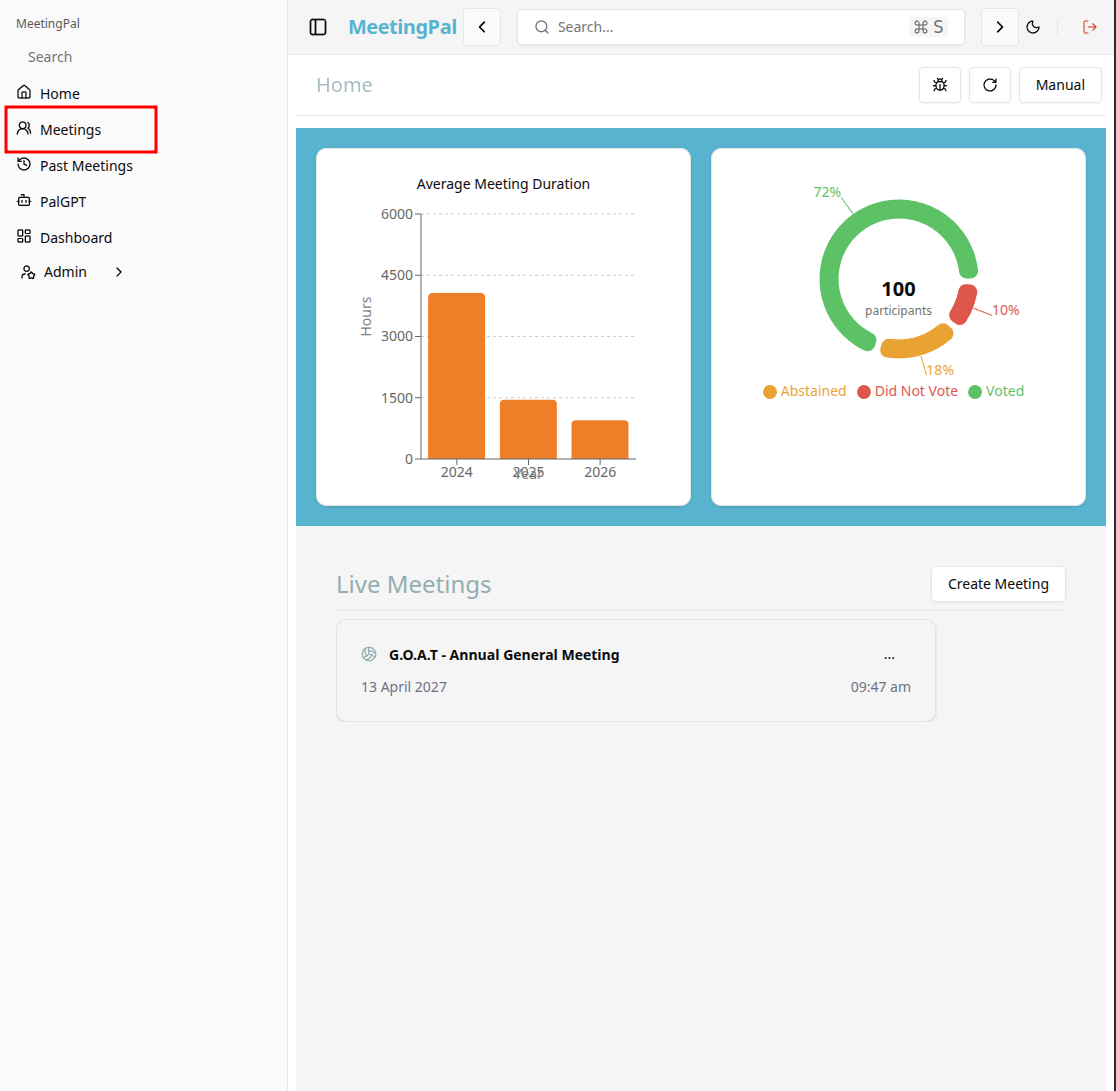
On the MeetingPal Home Page, locate the left-hand menu. Select Meetings.
Start editing the meeting
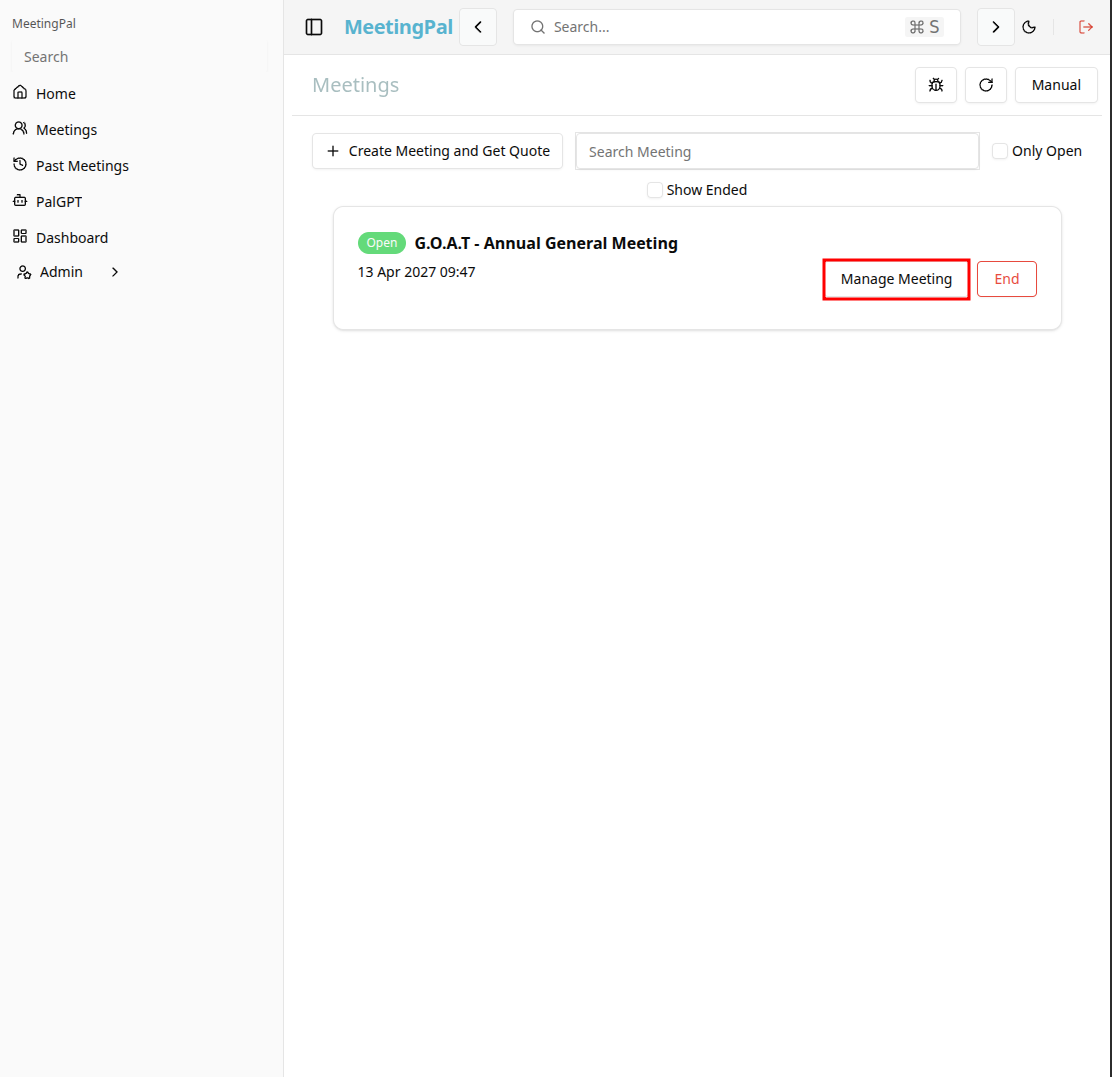
In the meetings page ,you will see all your meetings and the meetings that you are scheduled to attend.
Click on the 'Manage Meeting' button to begin editing the selected meeting.
Open the Owners Tab
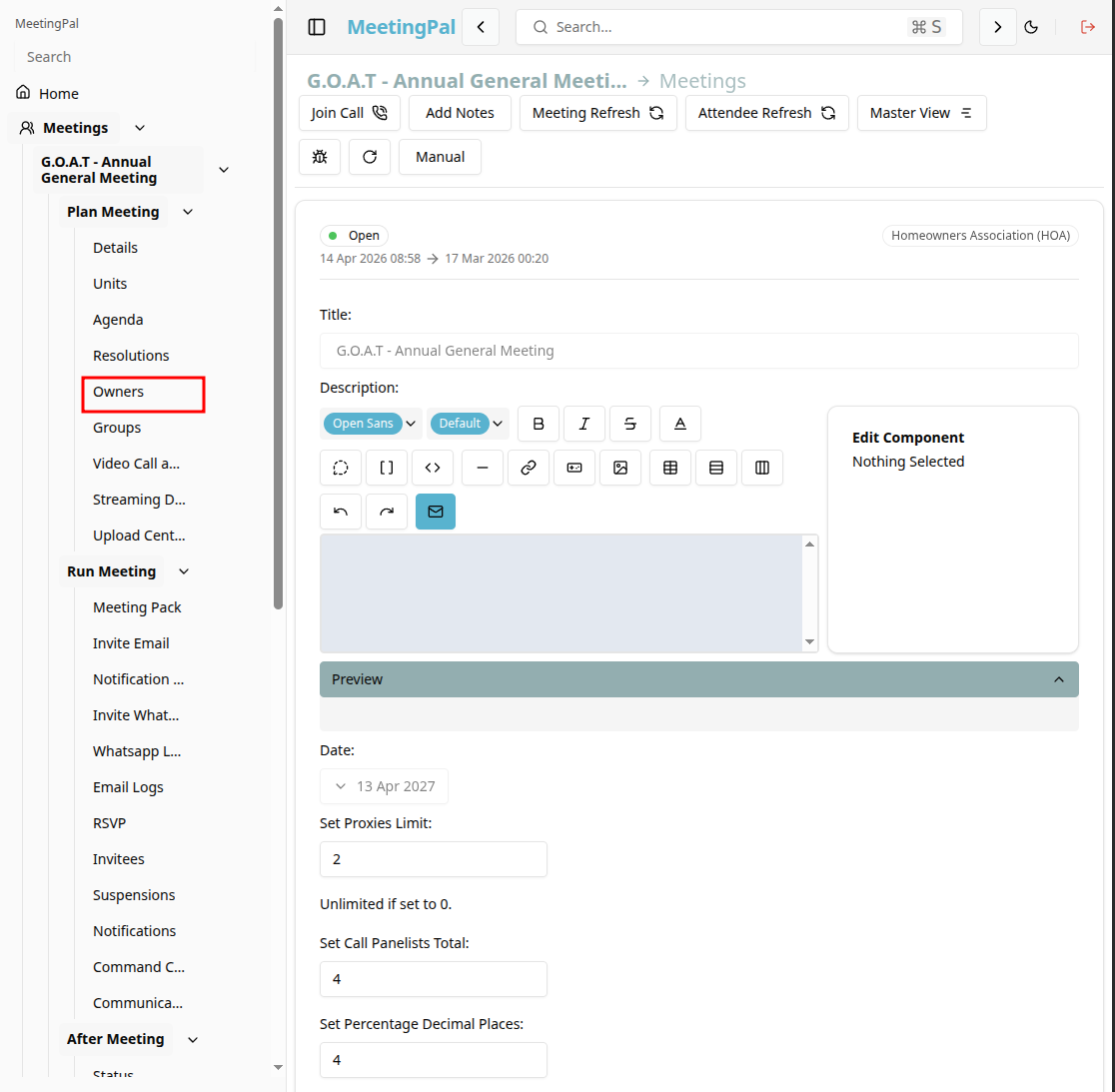
In the selected meeting’s dropdown menu, click Owners.
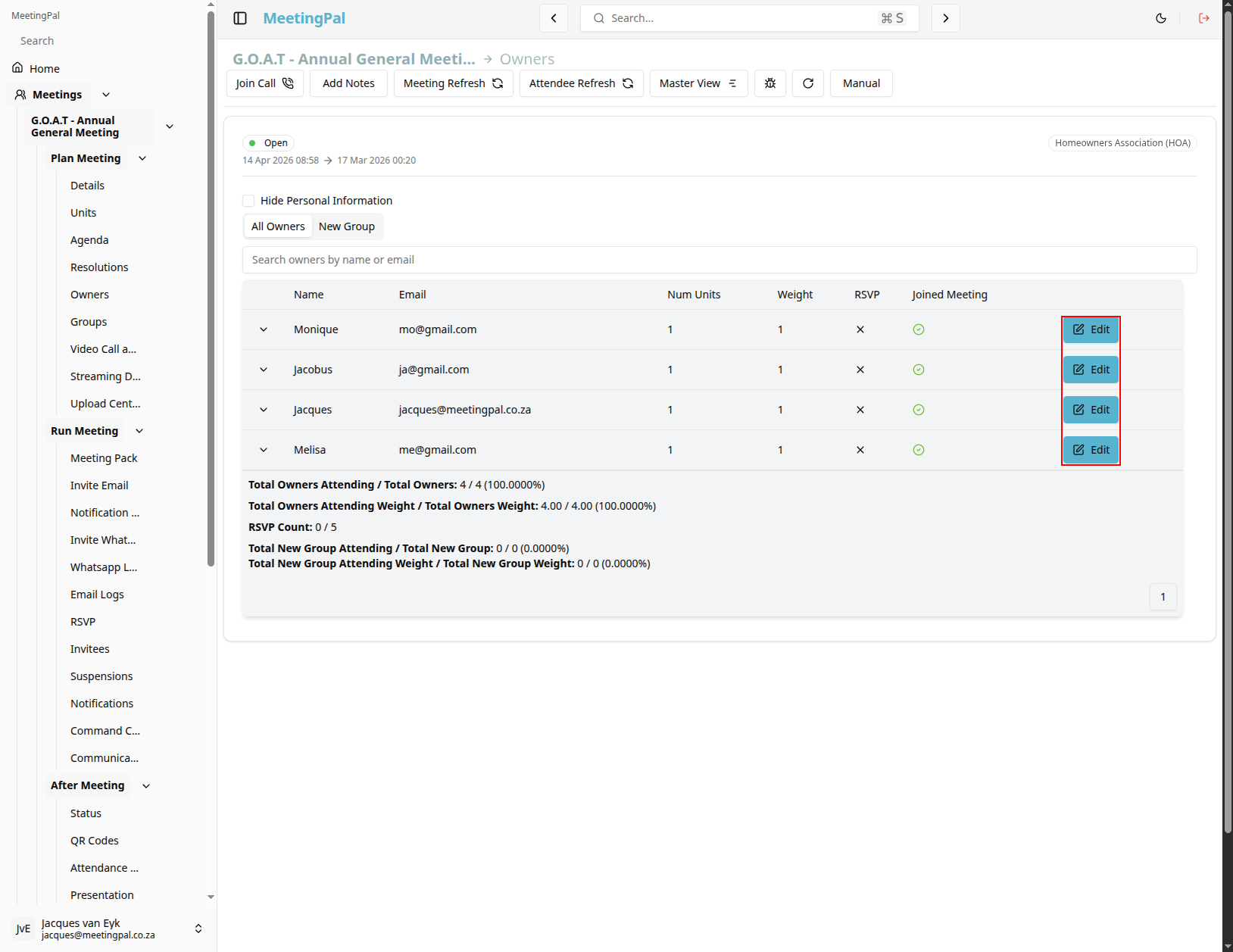
The Owners Page will open, displaying all owners associated with the meeting.
Understanding the Owners Page
The Owners Page allows you to:
- View all owners imported or added to the meeting.
- Search for specific owners by name, unit number, or email address.
- Edit owner details.
- Assign invitees to owners.
- Review voting and ownership information.
- View groups
Edit an Existing Owner
Locate the owner in the list.
Click the Edit icon or select the owner’s name.
Update the required information.
You can also add an owner to an existing group, by ticking the checkbox next to the group name in the edit owner window.
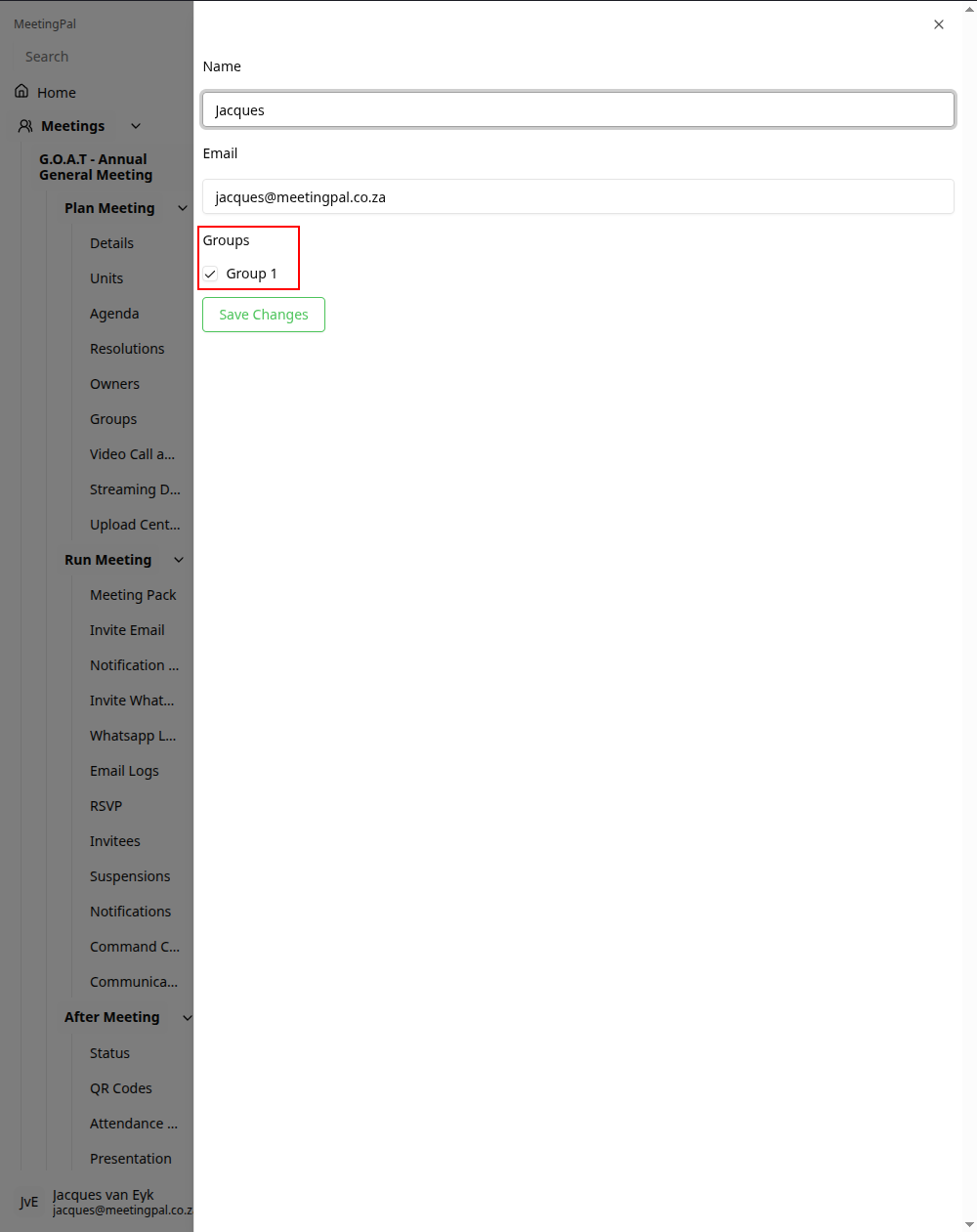
Click Save Changes.
Review Ownership Information
Use the Owners Page to verify:
- Owner contact details.
- Linked units.
- Voting weights and quotas.
- Proxy or attendance relationships.
Important Notes
Owners are typically used in property and shareholder meetings to represent individuals or entities with voting rights.
Ownership information may affect quorum calculations, vote weighting, and reporting.
Ensure owner details are accurate before sending meeting invites and opening voting.