Meeting Pack Tab
Access the Scheduled Meeting
On the MeetingPal Home Page, locate the left-hand menu. Select Meetings.
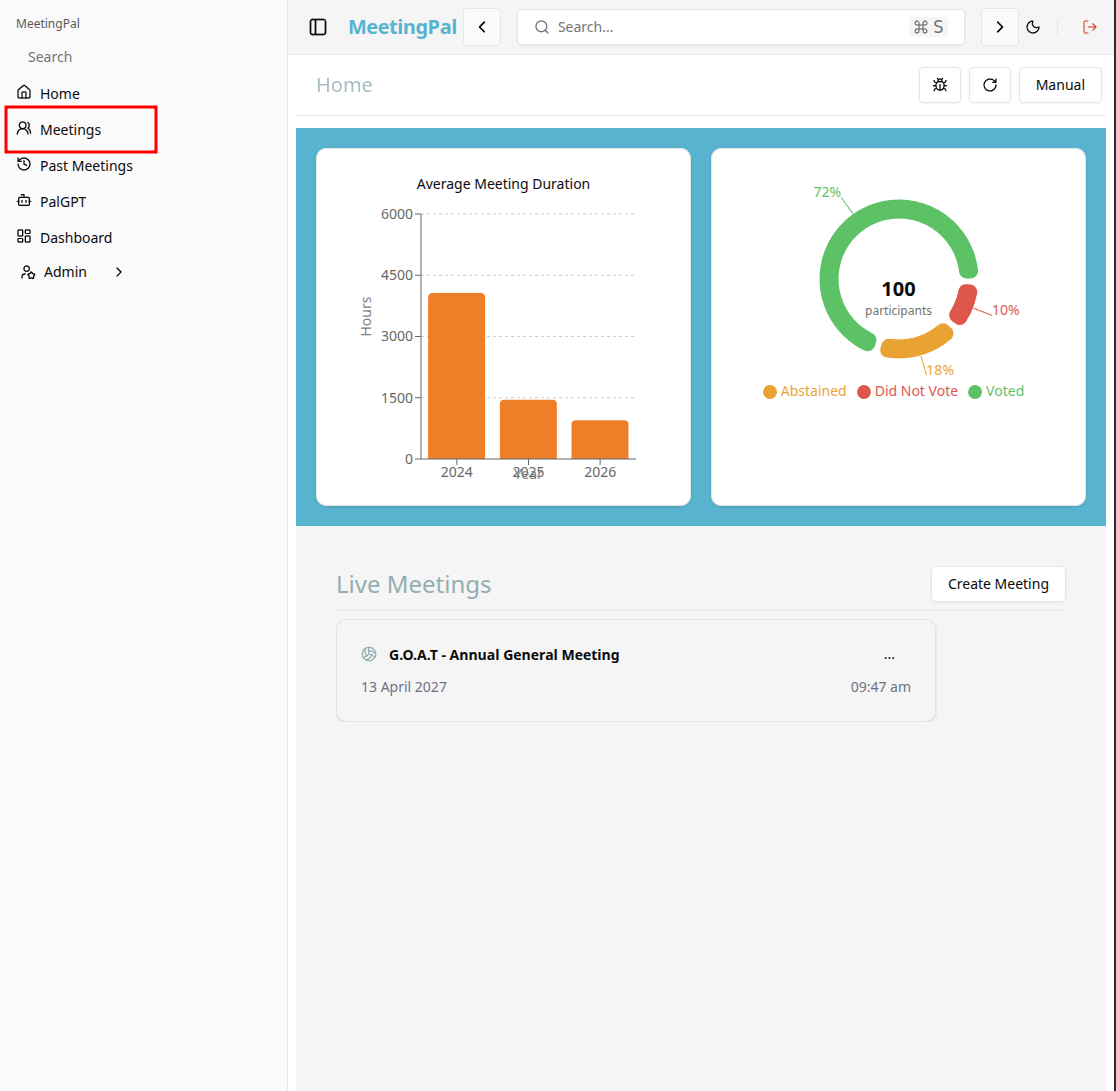
Start editing the meeting
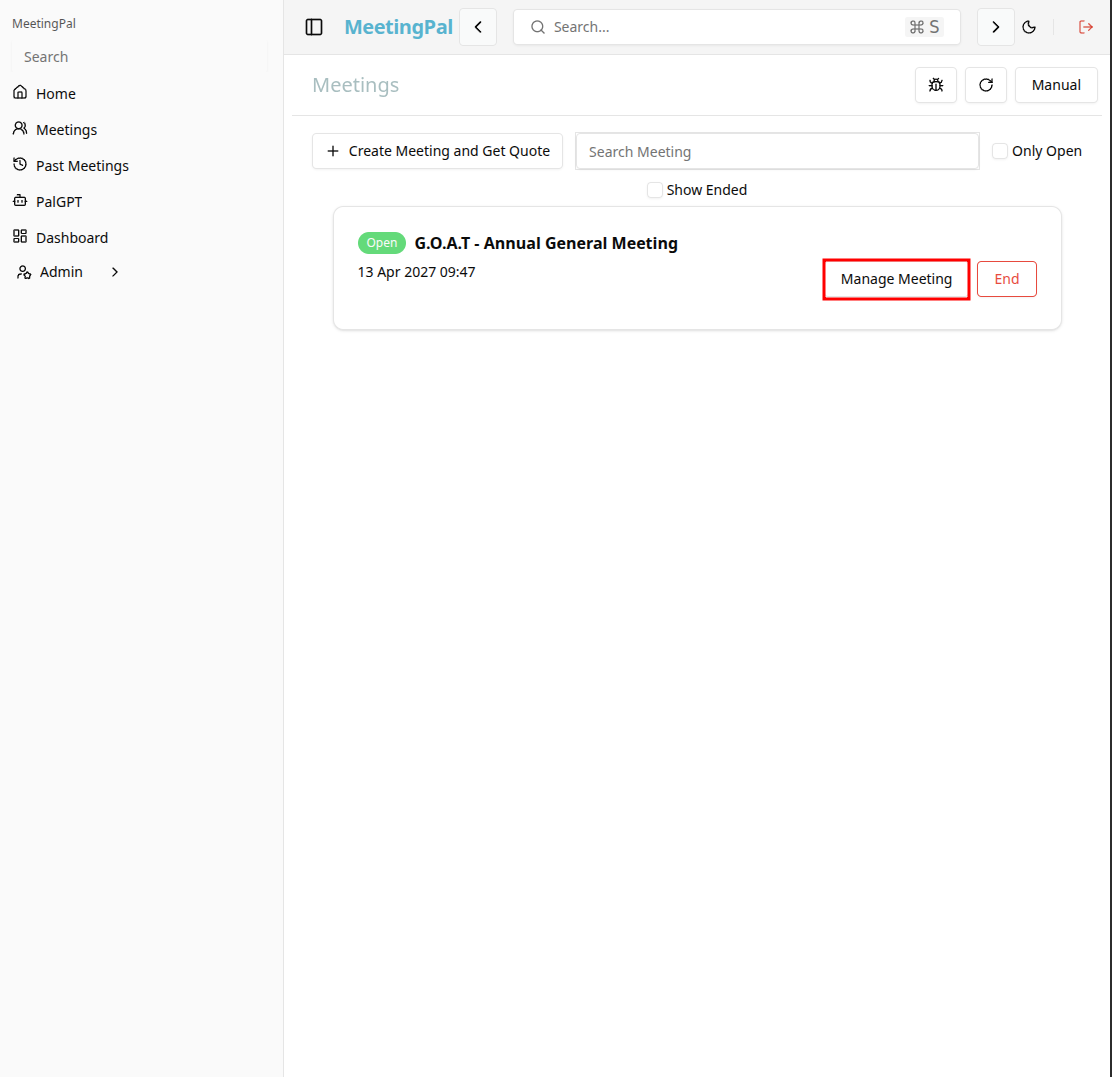
In the meetings page ,you will see all your meetings and the meetings that you are scheduled to attend.
Click on the 'Manage Meeting' button to begin editing the selected meeting.
Open the Meeting Pack Tab
In the selected meeting’s dropdown menu, click Meeting Pack.
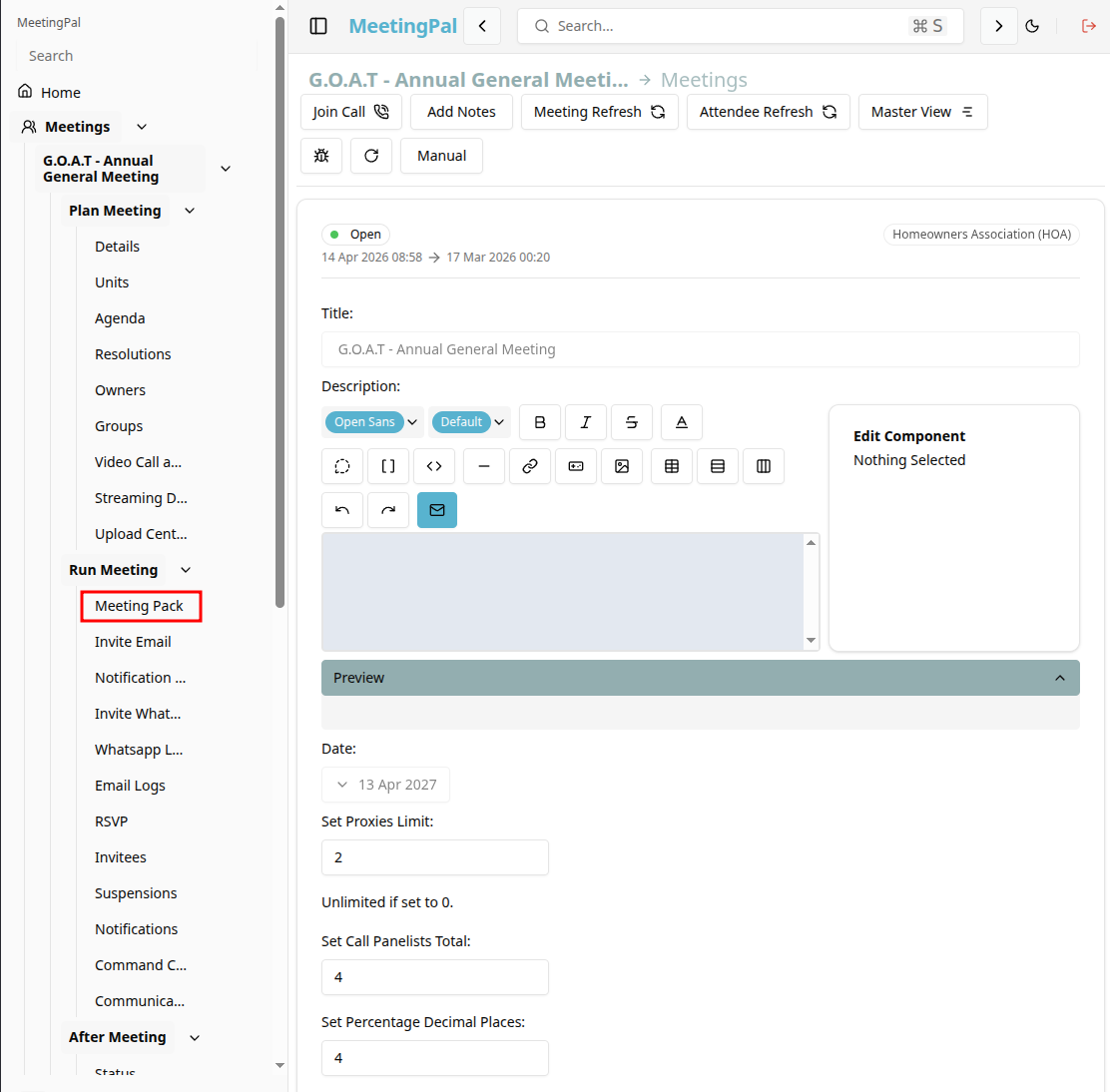
The Meeting Pack page will open.
Understanding the Meeting Pack Page
The Meeting Pack page allows you to:
- Share downloadable files for attendees in the meeting
- Preview the meeting pack before distribution.
- Share the meeting pack with attendees.
Setup the Meeting Pack
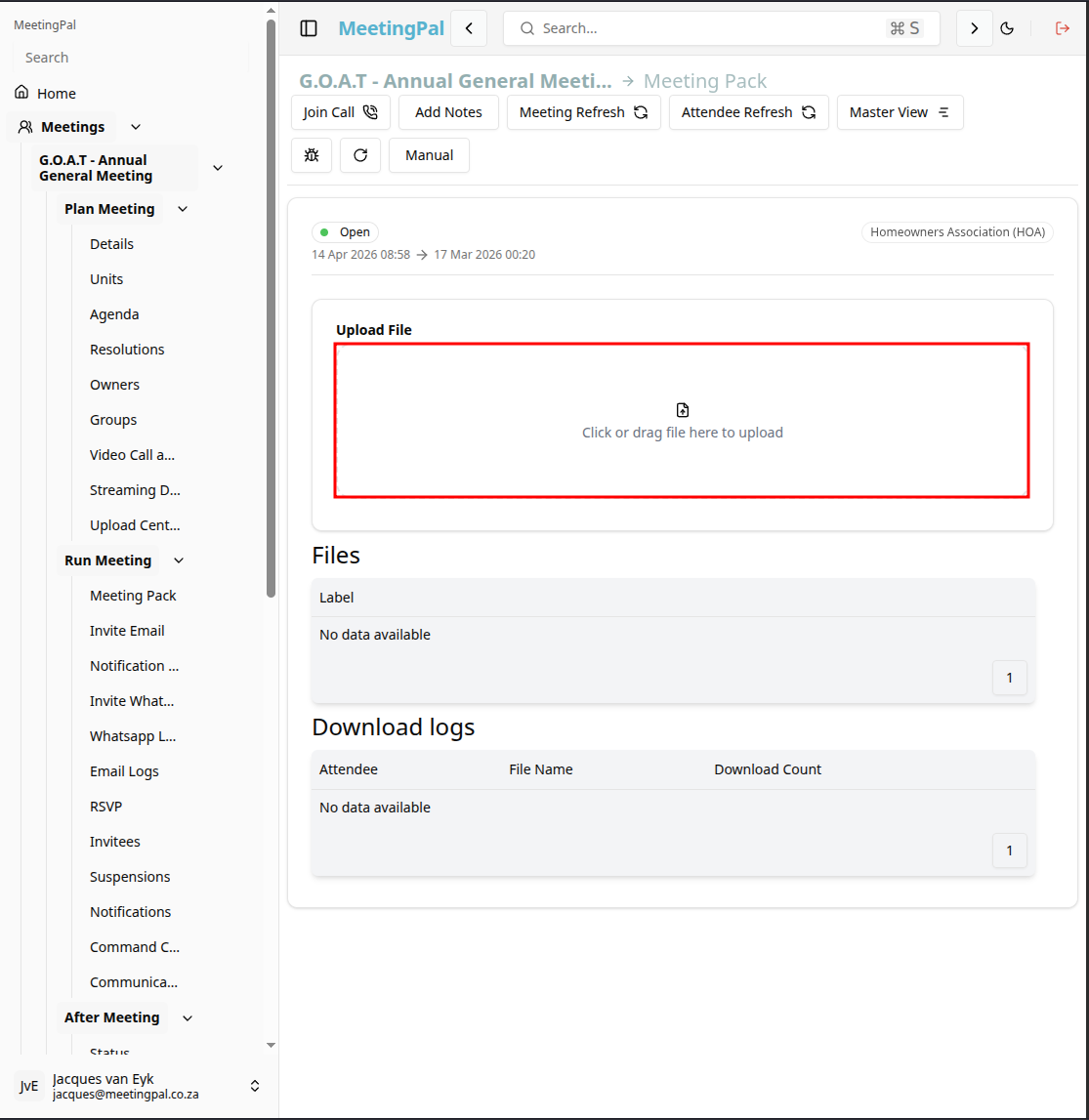
Upload a file to add it to the meeting pack for the meeting.
Drag a file to the upload file area by clicking on the area or opening your file explorer and dragging the file into the upload file area.
Best Practices
Upload all supporting documents before starting the meeting
Review the final PDF carefully before distribution.
Use clear document titles to improve navigation within the pack.